Management of Change Software Built for Safer Approvals
Stop chasing sign-offs by email and let the EHS-Dashboard™ route every change through impact reviews, approvals, and required actions.
Is Your Change Process Running on Email and Memory?
Most changes look routine on the request form. The risk is in what they touch downstream: permits, operator training, procedures, and emergency response. When those reviews get passed around by email, one missed sign-off can result in the next hazard. Our management of change software keeps every review, approval, and follow-up attached to the change itself.
What Is Management of Change Software?
Management of change software gives EHS, operations, and engineering teams one process to request, review, approve, and close out changes to equipment, processes, materials, and procedures. It replaces paper management of change (MOC) forms, email approvals, and action spreadsheets.
A change log tells you something changed and MOC software shows who reviewed it, what it required, and when the follow-up closed. In the EHS-Dashboard™, one request routes each impact review to the person who owns it, so you can show an auditor exactly how the change was handled.
What Gets Missed When Changes Move Fast?
Most MOC gaps open between departments, after the request is approved.
Operations requests the change, EHS reviews part of it, and training or procedure updates often fall to whoever remembers. Missed reviews can leave hazards in place and stall the work while approvals catch up. Each gap below has a fix built into the EHS-Dashboard™.
Sign-offs can happen in reply chains and hallway conversations, leaving no clear record of who approved what and when.
If a change request never reaches the people who manage training, permits, procedures, or emergency plans, those updates can go unreviewed.
Follow-up tasks kept in a spreadsheet are easy to lose track of once the change is live.
What Should Every Change Request Capture?
The right questions on the form bring permit, training, and procedure impacts to light before anyone signs off.
Use our Custom Forms builder to create a change request form built around your own terminology, review steps, and risk criteria.
-
Record the full scope of the change. Include fields for the proposed change, business justification, timing, affected site and area, and requester.
-
Flag every area it touches. Add impact sections for environmental, health and safety, compliance, permit, training, procedure, material, and emergency-response effects.
-
Scale the review to the risk. Use conditional logic to show extra questions only when a change is marked high impact, so a replacement in kind doesn’t have to go through the full review.
-
Score each request. dd calculated fields that rate severity and likelihood as reviewers complete the form.
Adding a reviewer or impact question later takes no custom development, so your management of change software keeps up with your program.
First-Pass Approvals Start With a Complete Request
Each tool below answers a question a reviewer would otherwise email the requester about.
Change Types
Linked Risk Assessments
Drawings and Specs
Sequential Request IDs
Comments on the Record
Contractor Approvals
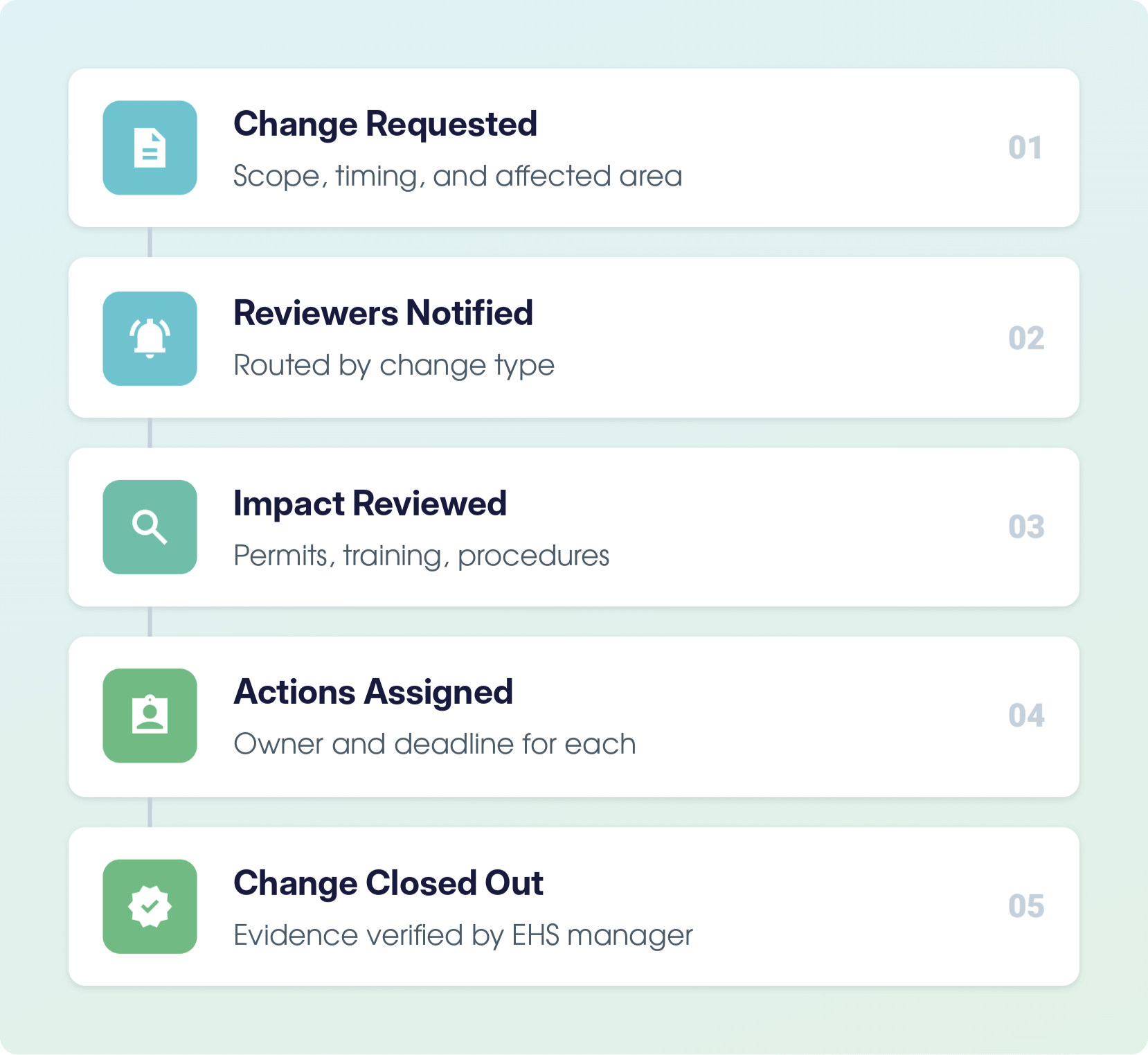
Why Chase Approvals When the Workflow Can Route Them?
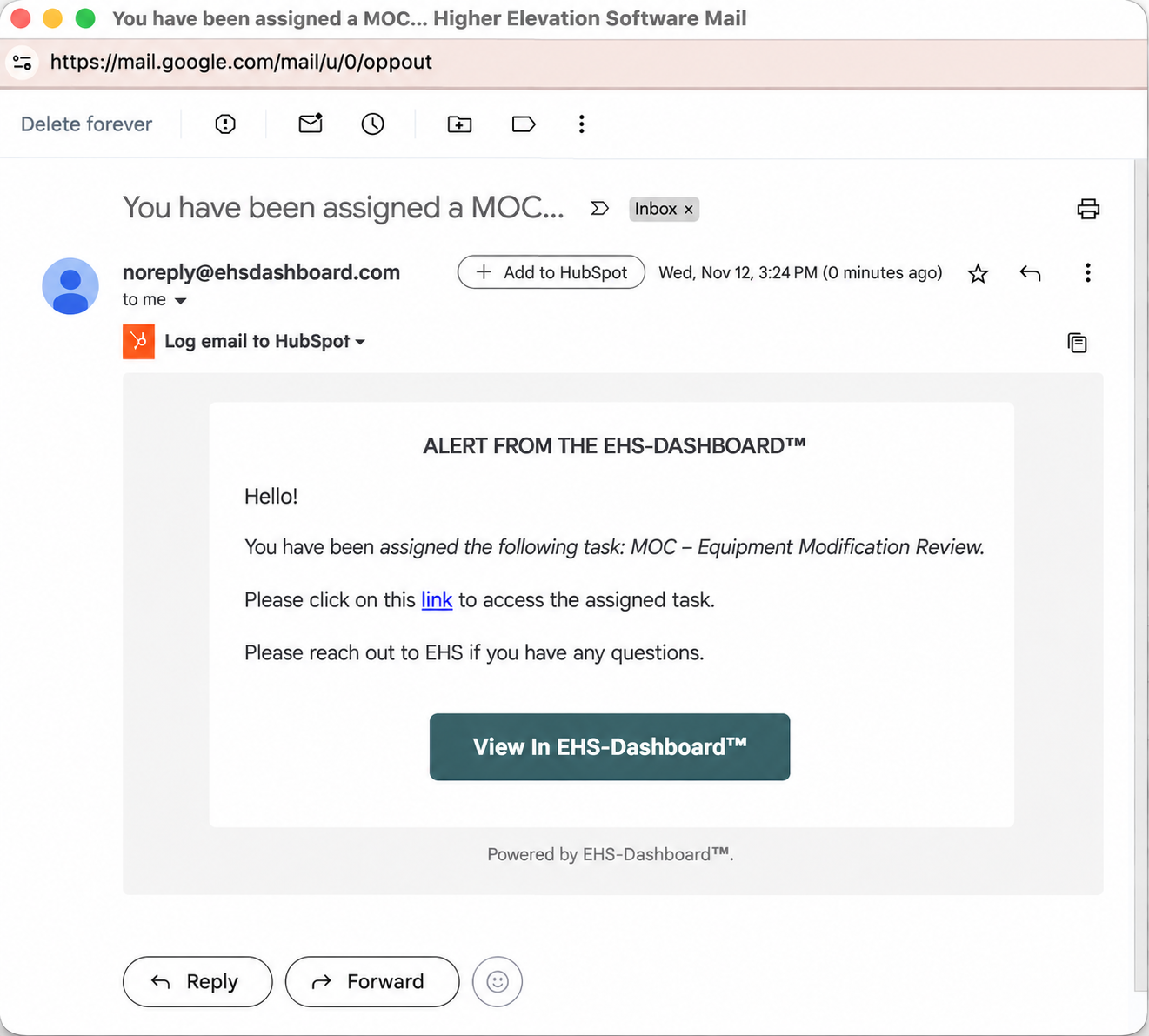
Each saved request notifies its reviewers and opens the follow-up work on its own.
Say maintenance wants to swap a pump for a different model. Saving the request emails the reviewers set for equipment changes and opens a linked risk assessment, so nobody has to forward anything.
A “Yes” on a question like “Operator retraining required?” creates a required action, and a status such as Pending EHS Review holds the change for EHS sign-off while those actions close. Required actions use the same corrective action tracking as the rest of your EHS program.
Reviewers Get the Request, Owners Get the Reminders
Alerts go out when a request is saved, and each one can link straight to the record.
Pick recipients for each change type, whether that’s the EHS and facility managers, operations, maintenance, or the change owner. Open actions trigger a daily reminder to their owner, starting 7 days out and stopping once the item is closed.
Can You See Every Open Change Before Your Auditor Does?
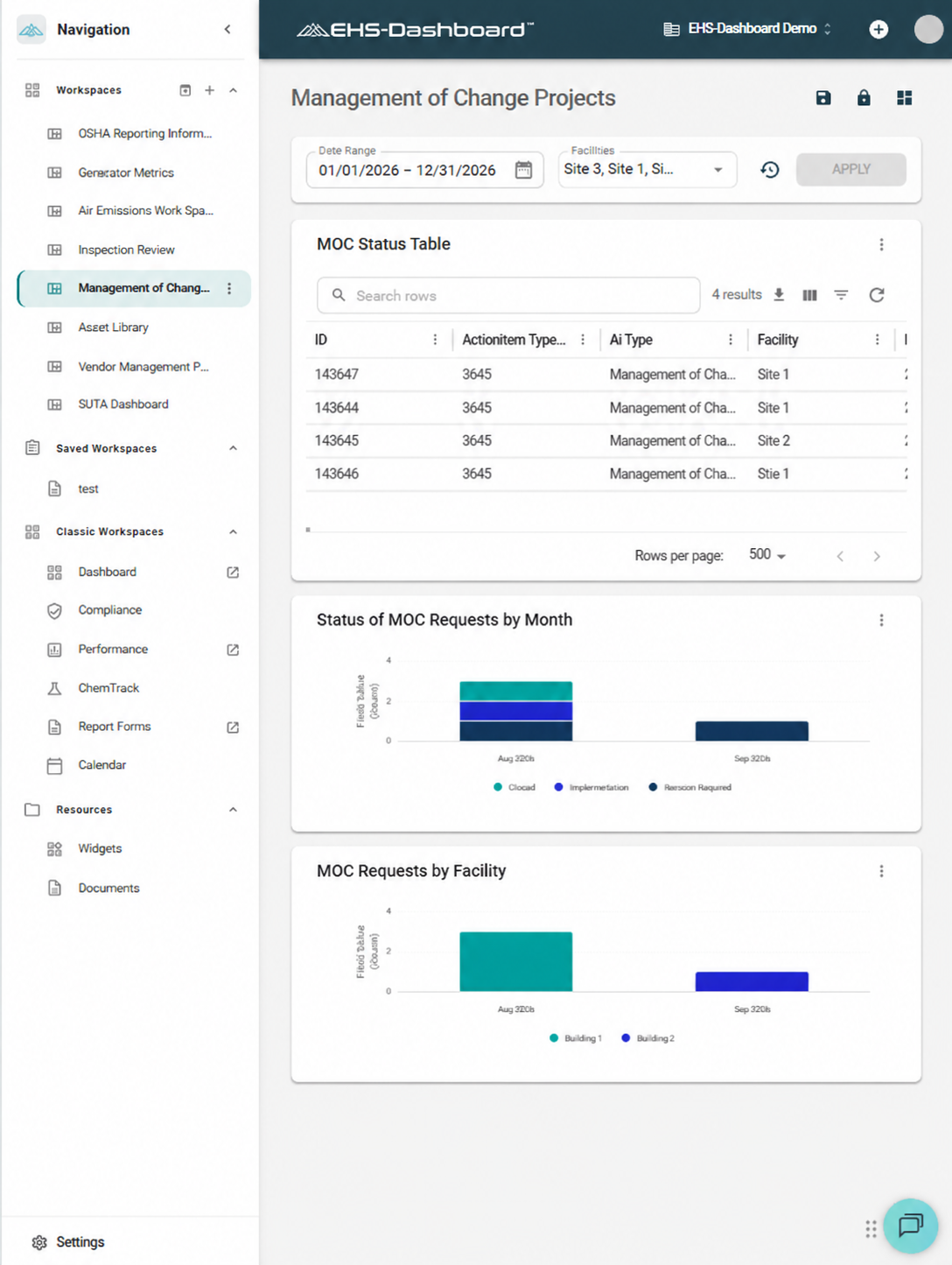
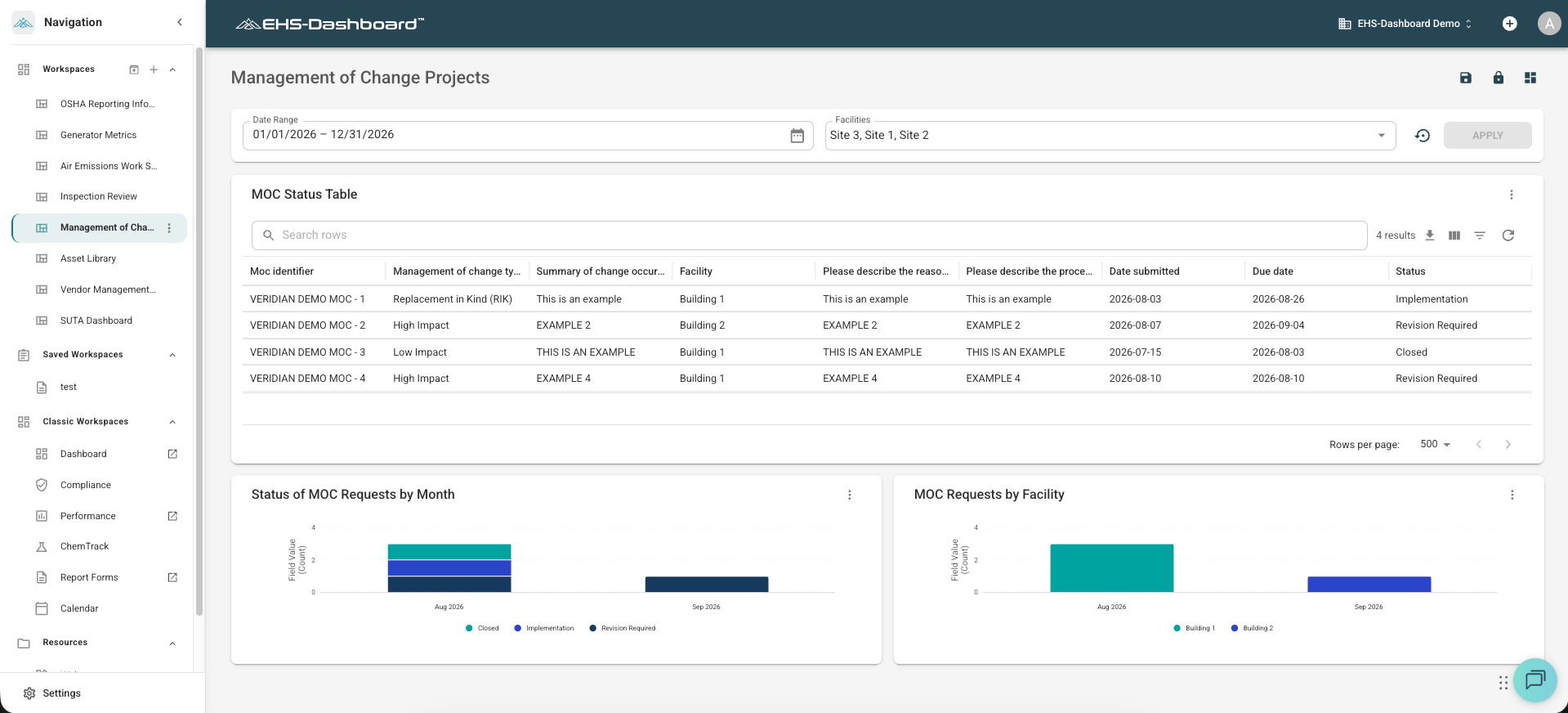
When leadership or an auditor asks what’s still open, the answer is already on a dashboard. A workspace widget lists pending reviews, overdue actions, and closed changes by site or status, and the change log can be exported for an audit or leadership review.
Why Choose the EHS-Dashboard™ for Management of Change?
The EHS-Dashboard™ centralizes Environmental, Health, Safety, Quality, and Sustainability data, so management of change runs alongside your incidents, inspections, training records, and corrective actions.
Catch Impacts Before Startup
Document Every Approval
Close Follow-Up on Time
See Open Changes at Every Site
Built by EHS Professionals, for EHS Professionals
-
“The EHS Dashboard has significantly streamlined our ability to manage compliance across all locations. Its user-friendly interface enhances efficiency and saves valuable time. I also value the EHS team's responsiveness to user feedback and their commitment to continuous improvement, it truly feels like the platform is designed with the end user in mind. It's evident that this tool is purpose-built to support the real-world needs of EHS professionals.”Jonathan Williams, CSM, LSSBBManager, Health Safety & Environmental, Valmet Inc.
-
Meet the Companies Going Beyond Compliance with Us

Take Email Chains Out of Your Change Approvals
Send us the MOC form and approval steps you use today, and we’ll use them to show what your process could look like in the EHS-Dashboard™. Schedule a demo of our management of change software to see how the review, approval, and closeout steps fit your sites.
Schedule a Demo
See how one of your recent changes could move from request to closeout in the EHS-Dashboard™.
Management of Change Software FAQs
Does every change need a full MOC review?
No. OSHA’s Process Safety Management standard exempts replacements in kind, and you can apply the same rule to changes outside PSM. Conditional logic in the EHS-Dashboard™ keeps like-for-like changes on a short form and opens the full impact review for everything else.
Can we keep our current MOC form and approval steps?
Yes. We help your team rebuild the existing paper or spreadsheet form in the EHS-Dashboard™ Custom Forms builder, keeping your terminology, risk criteria, and review sections. Event triggers then route each request to the same reviewers who approve changes today.
Does the EHS-Dashboard™ support OSHA Process Safety Management MOC requirements?
It supports the documentation the standard asks for. A request can record the technical basis, safety and health impact, procedure updates, time period, and who authorized the change, while required actions track training and procedure updates before startup.
What is the difference between management of change and a permit to work?
Scope and timing. Management of change reviews a change to equipment, processes, materials, or procedures before it goes into service. A permit to work controls one hazardous task, such as hot work, for a set period. Many changes need both, and each runs on its own form in the EHS-Dashboard™.
What happens to training and procedures after a change is approved?
They become required actions. When a review flags retraining or a procedure revision, the EHS-Dashboard™ creates a linked task to assign an owner and due date, so EHS can hold the change open until those tasks close.